People Counting CCTV Camera Systems
A people-counting system uses cameras or sensors above each entrance to count people in and out. It gives you a live figure for how many people are in a room, a floor or the whole building. Makers quote 95% accuracy or better when the devices are mounted well. You can use the figures for fire roll-calls, occupancy screens, staffing and planning space.
How people counting CCTV works
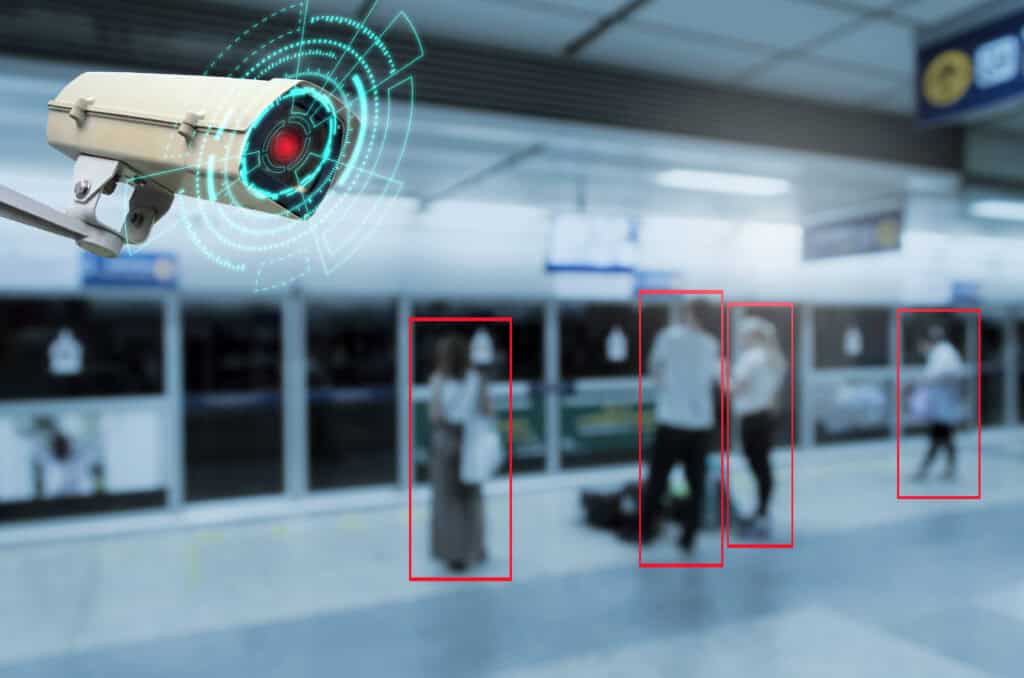
A counting device goes above every entrance and exit. It is a camera or sensor with software built in. The software spots each person, follows them across a line drawn in the picture, and adds one to the “in” or “out” total.
Good software ignores things that are not people. A dog, a trolley or a bag on the floor does not count. It is also built to count two people walking through side by side.
On a site with many entrances, each device sends its counts to one place. The system adds them up, so you get one figure for the whole building, wherever people come in and leave.
How accurate is people counting?
Makers publish figures from about 95% to 99% in good conditions. Real results depend on the site. These things make the biggest difference:
- How high the device is mounted, and whether it looks straight down
- Strong sunlight through glass doors, deep shadows or a shiny floor
- People standing and talking in the doorway
- Very busy doorways, where people walk close together
So do not rely on the brochure figure. Once the system is set up, count at least 100 people through each doorway by hand and compare. Do the check again after any change to the entrance, such as new doors or new lighting.
Can you use your existing CCTV cameras?
Sometimes. Some counting software can run on the IP cameras you already have. That costs less at the start, but security cameras are usually mounted high on a wall at an angle. From that angle people hide behind each other, so the count is less accurate.
A counter mounted above the doorway, looking straight down, sees each person on their own. If accurate figures matter, for example for fire roll-calls or a strict room limit, we recommend a counter above each doorway. If you only want a rough idea of busy times, your existing cameras may be enough. Our page on types of CCTV camera explains the other options.
Fall detection for lone workers
The same camera software can spot when someone falls. A stock room may be empty for most of the day. If a member of staff falls there and cannot get up, it could be hours before anyone knows.
A camera with fall detection can sound an alarm as soon as someone falls. A colleague can then check on them within minutes. Care homes use the same idea to warn staff when a resident falls. Set up well, these cameras support staff. They do not replace them.
Planning a people-counting installation
Most counting problems come from where the device is mounted. Each type of counter has its own range of mounting heights. A doorway wider than one device can cover needs two counters that share the count, so nobody is counted twice.
Every counter needs power and a network connection. In most buildings that is one PoE (Power over Ethernet) cable from each counter back to a network switch. PoE carries power and data on the same cable, so no extra power socket is needed. It makes sense to plan the counters and the cabling together, because the cable route often decides where the counter can go.
The counts then go to a local server or an online dashboard. From there they feed reception screens, reports and other building systems.
We also check each entrance at its busiest time of day. Revolving doors, turnstiles and lifts each need their own approach.
What affects the cost of people counting?
The price depends on the site more than the device. The main things that change it are:
- How many doorways need counting, and how wide they are
- Whether you need new counters or can add software to existing cameras
- How much new cabling and how many PoE switch ports are needed
- The software: a simple daily report, or live screens and dashboards
- Whether the counts must connect to other systems, such as fire, access control or room booking
A survey of the entrances is the quickest way to get a firm price.
People counting and UK GDPR
Not keeping footage does not take a counting system outside UK GDPR. The ICO’s video surveillance guidance says that viewing live images still counts as processing personal data if people can be identified from them, even when nothing is stored.
Some sensors send out only counts and movement points, with no images. Check what the system you choose really captures. Record that in your data protection impact assessment (DPIA), and tell staff and visitors that counting is in use.
Face recognition is a different matter. A system that knows who someone is uses biometric data. Under UK GDPR that is special category data, which needs a stronger legal reason. In February 2024 the ICO ordered Serco Leisure to stop using facial recognition and fingerprint scanning to record staff attendance at 38 leisure centres. The ICO said cards or fobs would have done the same job.
If you want face recognition for entry, offer a non-biometric option, carry out a DPIA first, and read the ICO’s biometric data guidance.
What we need to know before we quote
- How many doorways need counting, and how wide each one is
- The ceiling or mounting height above each doorway
- Where network and PoE points can go
- Where the figures need to show: reception screens, a dashboard or regular reports
- Whether the count has to support fire roll-calls or occupancy limits
With that, we can design the system around your building and what the figures are for. See our commercial CCTV installation service, or read hands-free access control if you are also planning entry systems.

Frequently Asked Questions – People-Counting CCTV
Q. How accurate is people-counting CCTV?
Makers publish figures of about 95% to 99% in good conditions. Mounting height, lighting and crowding all affect it, so check the system against a hand count of at least 100 people through each doorway once it is set up.
Q. How does a people-counting system work?
A camera or sensor above each doorway spots each person, follows them across a line in the picture and counts them in or out. The counts from every doorway are added up to give a total for the building.
Q. Can I use my existing CCTV cameras for people counting?
Sometimes. Some software runs on existing IP cameras, but security cameras look at an angle, so people hide behind each other and accuracy drops. For accurate figures, use a counter above each doorway.
Q. What is the difference between a people counter and an occupancy sensor?
A people counter counts people through a doorway and gives a total for a space. An occupancy sensor only shows whether a desk or room is in use.
Q. Can people-counting cameras tell adults from children?
Some systems that use 3D sensors can, but it depends on the product. Check this with the supplier if it matters for your site.
Q. Does a people-counting camera record personal data?
It can process personal data even if it stores nothing. The ICO says viewing or analysing live images counts as processing if people can be identified from them. Some sensors send out only counts, so check what your system captures and record it in your DPIA.


Written by
Wayne founded ACCL in 1997 and has led more than 28 years of project delivery, helping organisations design, install and modernise the network infrastructure behind reliable connectivity, office moves and refurbishments. His experience spans copper cabling, fibre backbones, data centre infrastructure, Wi-Fi, CCTV and access control. About ACCL