AI is neither a shortcut nor a threat by default
AI in the workplace can help people prepare information, reduce repetitive administration, improve access to knowledge and support better day-to-day decisions. It can also create avoidable risk when tools are introduced without clear ownership, sensible controls, staff guidance or the infrastructure needed to support the way people actually work.
For UK businesses, the useful question is not whether AI is a friend or foe. It is whether the organisation has chosen the right use cases, set clear boundaries and prepared the people, processes, data, security and workplace technology around the tools.
The physical network is not the whole answer. But as AI-enabled tools become another layer of everyday cloud work, reliable connectivity, effective Wi-Fi, suitable meeting-room technology and well-documented office infrastructure become more important to the employee experience.
AI may be new, but the infrastructure problem is familiar: when the network is poorly planned, under-tested or built only to minimum requirements, the office will struggle as demand increases.
ACCL workplace infrastructure principle
The friend: practical support for everyday work
The strongest workplace uses are usually the least dramatic. They remove friction from recurring tasks and give people a better starting point, while leaving accountability with the employee or team responsible for the outcome.
- Research and summarisation. Turning large volumes of notes, documents or information into a clearer first draft for review.
- Meeting preparation. Helping teams prepare agendas, capture actions and structure follow-up work more consistently.
- Routine administration. Supporting repetitive drafting, formatting and information retrieval where human review remains in place.
- Knowledge access. Helping employees find approved information faster when the underlying records and permissions are in order.
- Operational support. Assisting service teams, project teams and internal functions with better prompts, templates and workflows.
- Better use of existing tools. Increasing the value of cloud platforms, collaboration tools and information already used across the business.
Start with a defined problem, not a general AI mandate
The most useful pilots tend to focus on a specific, low-risk process that is currently slow, repetitive or difficult to manage. A clear starting point makes it easier to decide what data can be used, who owns the output and how success will be measured.
The foe: risk grows when adoption runs ahead of control
AI can create new failure points when people use unapproved tools, input sensitive information without a clear basis, trust inaccurate outputs without review or connect systems without understanding the permissions and data flows involved.
- Unclear data boundaries. Employees need to know which information may be used with a tool, which information needs approval and which information must not be entered at all.
- Weak access controls. AI tools can expose the consequences of poor permissions, weak identity controls or over-shared information that already exists in the business.
- Unreviewed output. Drafting support is not a substitute for professional judgement, factual checks, customer accountability or a defined approval process.
- Shadow adoption. When teams adopt tools informally, IT, security and leadership lose visibility of how data, prompts and outputs are being handled.
AI readiness rests on more than the software licence
A responsible rollout brings several disciplines together. It is not an IT-only programme and it is not only a policy exercise. Business leaders, IT, facilities, security, HR and the teams expected to use the tools all need a shared view of what is being introduced and why.

The five foundations to address
Strategy: define the business problem and the intended use. People: give staff practical guidance, training and clear accountability. Data and governance: set boundaries around information, retention and permissions. Security: apply identity, device and access controls. Infrastructure: make sure the workplace can support reliable cloud access, Wi-Fi, collaboration and connected devices.
ACCL supports the final foundation. We help businesses understand and improve the physical and wireless infrastructure that sits beneath a connected workplace.
Why IT and facilities teams should include the office network early
AI-enabled workplace tools are often cloud-based and integrated into the same platforms employees use for email, files, meetings and collaboration. They do not require special “AI cabling”, but they increase the importance of the systems that keep a modern office connected.
What to review in the building
Review the structured cabling, Wi-Fi design, access-point backhaul, PoE capacity, switching, cabinet space, patching, internet resilience and documentation behind the office. The outcome may be a simple confirmation that the current environment is sound, or a scoped plan to resolve the constraints before new demand arrives.
This is especially useful during office moves, refurbishments, meeting-room upgrades, hybrid-work changes and wider workplace technology programmes.
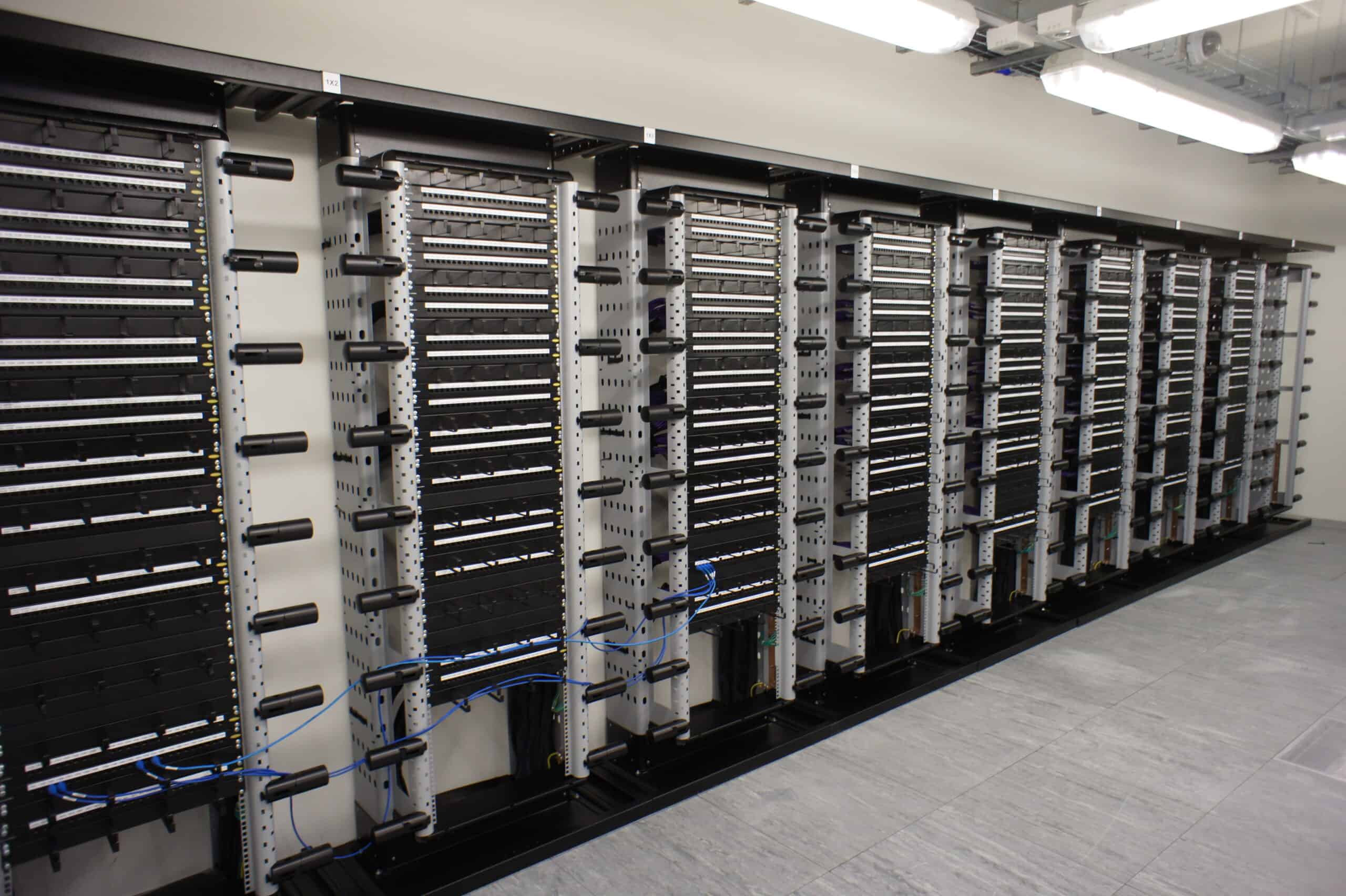
Relevant ACCL services include structured data cabling, office cabling, commercial Wi-Fi installation, Wi-Fi site surveys, fibre optic installation, data cabinet tidy services, commercial CCTV installation and commercial access control.
Seven questions to answer before expanding AI use
These questions will not replace specialist legal, security or technology advice. They help business leaders create the practical conversation that should happen before AI moves from individual experimentation to wider deployment.
- Which business problem are we trying to improve, and how will we know whether the change has worked?
- Which tools are approved, who owns them and what information is permitted within each tool?
- Which staff need guidance, training or additional review before using AI in customer-facing, regulated or sensitive work?
- Are identity, permissions, devices and data-sharing practices strong enough for the intended use?
- How will people validate outputs, correct errors and retain accountability for final decisions?
- Can the office network, Wi-Fi, meeting rooms and cloud connectivity support the new ways of working reliably?
- What is the route for reporting issues, improving the process and stopping a use case that is not delivering value?
Use AI where it improves work, not where it removes responsibility
The most credible AI plans are usually measured rather than dramatic. They start with a small number of useful use cases, establish boundaries and build confidence through evidence. That protects the business from hype while allowing teams to learn what genuinely helps.
For IT and facilities teams, the practical contribution is to make sure the workplace is not the weak link. Clear infrastructure records, dependable cabling, well-designed Wi-Fi, sufficient PoE and manageable communications rooms give the business a more reliable platform for the digital changes already under way.
ACCL’s approach is consistent with our +3dB performance-headroom standard and our Fluke cable testing guide: do not treat a minimum technical pass as the whole measure of readiness. Look at the quality, evidence and maintainability of the finished environment.
Build the foundation beneath workplace technology
- AI-ready office cabling scorecard
- Structured data cabling
- Office cabling
- Commercial Wi-Fi installation
- Wi-Fi site surveys
- The +3dB standard
- Fluke cable testing
- Book a free site survey
Technical references
These official resources provide wider context on Microsoft 365 Copilot requirements, AI and data protection, and AI-related cyber security.
- Microsoft Learn: app and network requirements for Microsoft 365 Copilot
- Information Commissioner’s Office: guidance on AI and data protection
- National Cyber Security Centre: AI and cyber security
Questions businesses ask about AI in the workplace
Is AI in the workplace a friend or a foe?
It can be either, depending on the use case and controls around it. AI can support productivity and better access to information, but it can also introduce risk when data, permissions, security, staff guidance and accountability are not handled properly.
Does AI require a new office network?
Not necessarily. AI tools do not need a special network category. The right step is to understand the current cabling, Wi-Fi, comms-room capacity and connectivity, then improve only the elements that would limit the planned ways of working.
What should IT and facilities teams do first?
Start with a defined business use case and a practical review of the environment around it. This should cover approved tools, data boundaries, access controls, staff guidance and the workplace infrastructure that supports cloud and collaboration services.
Can AI replace professional judgement?
No. AI-generated output should be reviewed in context by the person or team accountable for the decision, customer communication, technical work or service outcome.
Does ACCL provide AI software or data-governance advice?
ACCL focuses on commercial network and workplace infrastructure. We can assess the cabling, Wi-Fi, comms-room and connected-device foundation beneath the office. Software selection, licensing, cyber security and data governance may require your internal team or specialist advisers.


Written by
Wayne founded ACCL in 1997 and has led more than 28 years of project delivery, helping organisations design, install and modernise the network infrastructure behind reliable connectivity, office moves and refurbishments. His experience spans copper cabling, fibre backbones, data centre infrastructure, Wi-Fi, CCTV and access control. About ACCL