The main benefits of CCTV for a business are fewer crimes, faster answers when something happens, and evidence the police can use. A 2019 review of 76 studies found crime fell by 14% where CCTV was installed, and by 37% in car parks. Modern cameras add motion alerts, night vision, number-plate reading and remote viewing.
CCTV cameras were first made only to record video. The number of cameras in use, the amount of footage, and what security teams and the police need from it have pushed makers to add many more features. Some matter to every CCTV user. Others only matter on some sites. All of them add to the price, so it helps to know what each one does before you buy.
Below we look at the research on CCTV and crime first. Then we cover the main purposes of CCTV, 9 benefits that go beyond recording video, and the drawbacks to weigh up. If you are planning a system, our commercial CCTV installation page explains how we survey, design and install.
What the research says about CCTV and crime
A 2019 review by Piza, Welsh, Farrington and Thomas brought together 76 studies from 40 years of CCTV research. Where CCTV was installed, overall crime fell by 14% compared with similar areas without it. The effect was largest in car parks, at 37%, and smaller in residential areas, at 12%. The US Department of Justice CrimeSolutions summary sets out the figures. The paper is in Criminology & Public Policy (2019, volume 18, issue 1).
The review also found CCTV worked better when someone actively watched the cameras, and when it was used with other measures such as better lighting. Cameras on their own put some people off. Cameras that someone watches and acts on put off more.
For a business, that means two things. Plan who will review the footage, and when, at the same time as you choose the cameras. And treat CCTV as one part of a security plan, alongside lighting, locks and access control.
What are the main purposes of CCTV?
For most businesses, CCTV does four jobs:
- Deterring crime, such as theft, break-ins and vandalism
- Showing what happened after an incident, quickly
- Providing evidence for the police, insurers or an internal investigation
- Helping staff feel safe, especially at entrances, in car parks and when working late
The Home Office guidance on CCTV and video evidence explains what footage needs to be useful as evidence. In short, the picture must be clear enough to identify people, and the time and date must be right. Some of the features below are recommended in that guidance to anyone who installs a camera.
3. Two-way audio
Two-way audio is often overlooked. It lets someone in a control room speak to a person in front of the camera.
It is most useful at gates and doors, where someone needs to check a visitor before letting them in. The operator can tell quickly whether a visitor is genuine. It can also replace a separate intercom, which means one less system to install and maintain.
Recording that audio is a separate matter. The ICO says any audio recording on CCTV should be switched off by default and used only where you can justify it. Our guide to CCTV with audio in the workplace explains the rules.
4. Number plate recognition (ANPR)
ANPR cameras read vehicle number plates. On their own they just read plates. The value comes when they link to other systems, such as barriers, parking and access software. You can use ANPR to:
- Open a car park barrier for known vehicles
- Log every vehicle that comes in and out
- See how many parking spaces are used, and by whom
- Cut queues at busy gates
ANPR is as demanding as it is useful. It needs good cameras, and each camera has to be placed at the right angle, distance and height for its lane, with the right lighting. The Home Office has published guidance on testing ANPR systems. You can use it with your installer to choose, fit and test the right cameras.
7. Real-time alerts
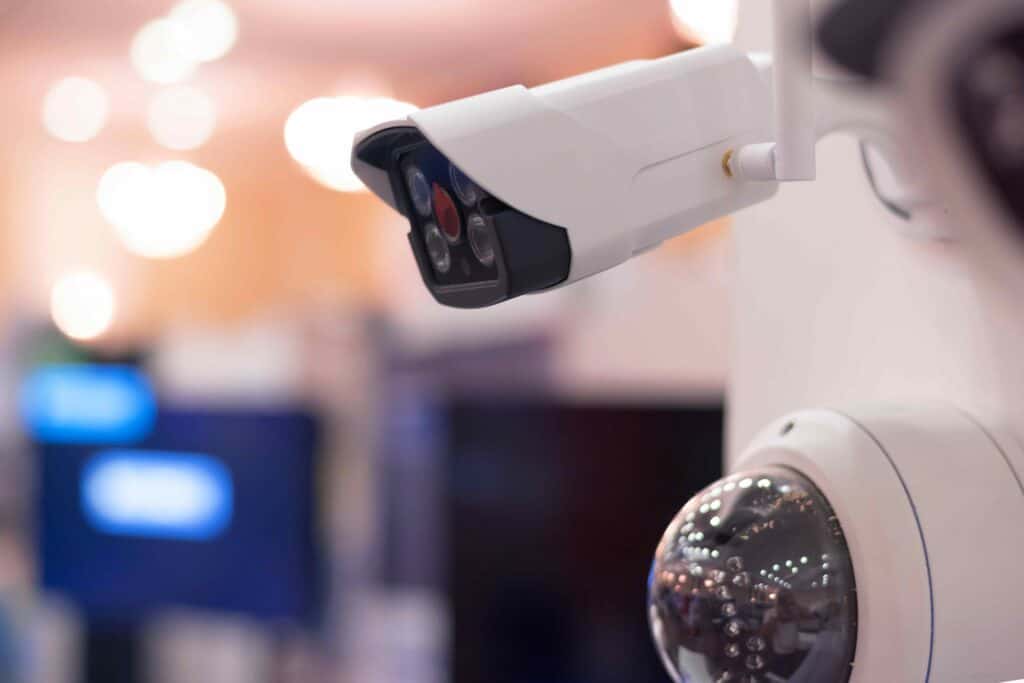
Real-time alerts send a message to a phone, a tablet or a monitoring centre when a camera spots something, such as movement after hours.
They are very useful, but they need setting up with care. A system that sends too many alerts soon trains people to ignore them all. That makes the site less safe, not more.
Alerts often travel through the maker’s online service. That makes you depend on its security and uptime. Some systems let you run your own server instead, but then it is yours to run and secure. If you want trained staff to watch and respond for you, see our guide to remote and on-site CCTV monitoring.
8. Cloud storage
Storing footage safely, with backups, and still being able to find it quickly, is one of the hardest parts of running CCTV. Cloud storage keeps footage on an online service instead of a recorder on site.
It suits two kinds of user:
- Sites with so many cameras that storing footage on site is hard to manage, even with an IT team
- Small sites with few cameras, where a full recording and backup setup is hard to justify
Good cloud services use encryption in transit and at rest, keep backup copies, and stay available. That is often more than a small business could set up itself.
Your own security still matters. A weak password still lets someone in. Cloud services also tie you to certain cameras. A service run by one maker usually works only with that maker’s cameras. Weigh the saving on equipment against that lock-in.
9. Wireless connectivity
CCTV cameras used to need a data cable, because wireless links were too slow or unreliable for live video. That has changed, and many cameras now work over Wi-Fi. That can make installation simpler where cables are hard to run, such as across a yard or in a listed building.
Wireless cameras still need power, though. And the video still needs a strong network, with a wireless access point near the cameras. For most business sites a cabled camera is more reliable. Where wireless is the right choice, see our wireless CCTV installation service.

Benefits of CCTV for homes and for businesses
Most of the benefits above apply at home too: putting off burglars, motion alerts to a phone, and night vision. Home owners have their own rules, set out in the ICO’s guidance on home CCTV. If a home camera covers the street or a neighbour’s property, data protection law applies to it.
This guide is written for business sites. There, the cameras, storage and analytics work on a larger scale, and the business is responsible for the footage.
Which features does your business need?
The right mix depends on the site:
- Offices: entrances, reception and car parks, with clear rules for staff areas
- Retail and shopping centres: tills, stock rooms and shop floors, often with people counting
- Warehouses and industrial sites: large outdoor areas, loading bays and perimeters, often with infrared or thermal imaging
Our page on types of CCTV camera explains which camera suits each job.
Conclusions and Recommendations
Modern CCTV does much more than record video. Analytics such as ANPR, facial recognition and object detection, and features such as cloud storage and real-time alerts, can all add value.
How much each one matters depends on your business. Some are nice to have. Some are essential. Even the ones that add nothing to the price are not free: each one has to be set up properly, and some bring legal duties.
If you are not sure which features you need, our CCTV team can help. We have been installing CCTV in London for more than 20 years. Contact us to book a free, no-obligation site survey. Our engineers will look at your site, talk through what you need, and give you a proposal that fits your needs and your budget.

Frequently Asked Questions – CCTV Camera Benefits
Q. Does CCTV actually reduce crime?
Yes, on average. A 2019 review of 76 studies found crime fell by 14% where CCTV was installed, by 37% in car parks and by 12% in residential areas. It worked best where the cameras were actively watched and used alongside other measures such as lighting.
Q. What are the main purposes of CCTV?
To deter crime, show what happened after an incident, provide evidence, and help staff and visitors feel safe.
Q. What are the disadvantages of CCTV?
The cost of equipment and upkeep, legal duties under data protection law, privacy concerns if cameras are badly placed, false alarms, and less benefit if nobody checks the footage.
Q. What is motion detection used for in CCTV?
It makes a camera record only when something moves, so quiet areas do not fill storage with hours of empty footage. That saves storage and makes footage quicker to search.
Q. What does ANPR do on a CCTV system?
It reads vehicle number plates. Linked to a barrier or parking system, it can let known vehicles in, log every vehicle and show how parking spaces are used.
Q. Is cloud storage a good option for CCTV footage?
It suits sites with too many cameras to store footage easily on site, and small sites where a full recording setup is hard to justify. Check the security, and whether it ties you to one maker’s cameras.
Q. Are wireless CCTV cameras reliable?
They have improved a lot, but they still need power and a strong network. For most business sites a cabled camera is more reliable. Wireless suits places where a cable is hard to run.


Written by
Wayne founded ACCL in 1997 and has led more than 28 years of project delivery, helping organisations design, install and modernise the network infrastructure behind reliable connectivity, office moves and refurbishments. His experience spans copper cabling, fibre backbones, data centre infrastructure, Wi-Fi, CCTV and access control. About ACCL